Zplayer app icon
iPhone · iPad · Mac iOS 17+ · macOS 14+ No account · No tracking

An audiophile player for the music you own

Your FLAC and DSD, straight from your own server. Bit-perfect all the way to the DAC.

Zplayer plays the library you keep on your own WebDAV share, on a NAS, a Raspberry Pi or a server at home, from your iPhone, iPad and Mac. No transcoding, no resampling, no account. Plug in a USB DAC and even DSD reaches it untouched.

Deep Purple, Stormbringer: format, dynamic range and the story of the album
The walkthrough

More than a play button.

Most players stop at play and pause. Zplayer tells you what reaches your DAC, how much dynamic range survived the mastering and which pressing you are holding.

Library

Your whole shelf, from your own server.

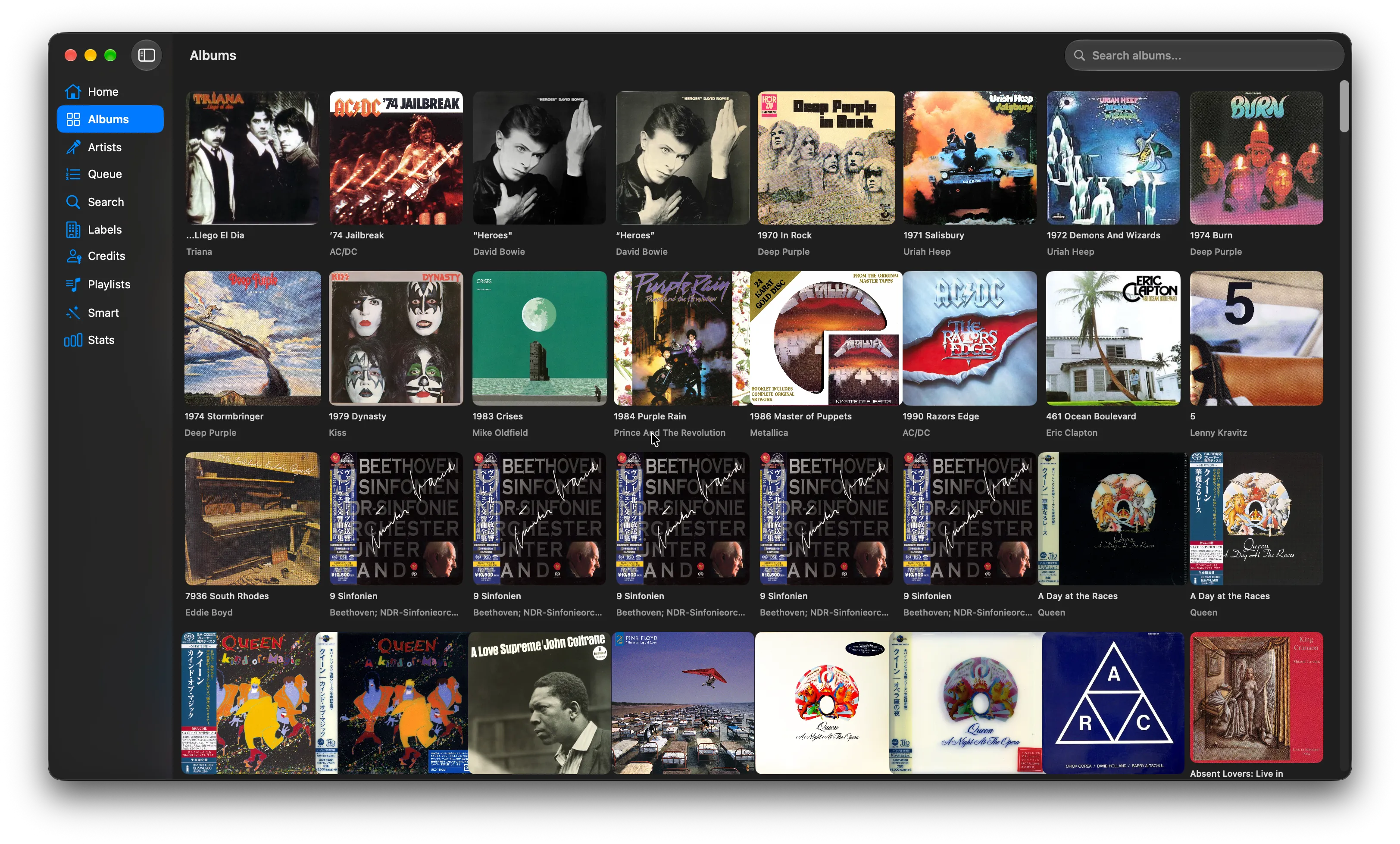
Zplayer scans your WebDAV share once, reads the tags straight from the files and keeps an index on your device, so browsing is instant. Albums, artists and search everywhere; labels, credits and smart playlists on iPad and Mac.

01 09
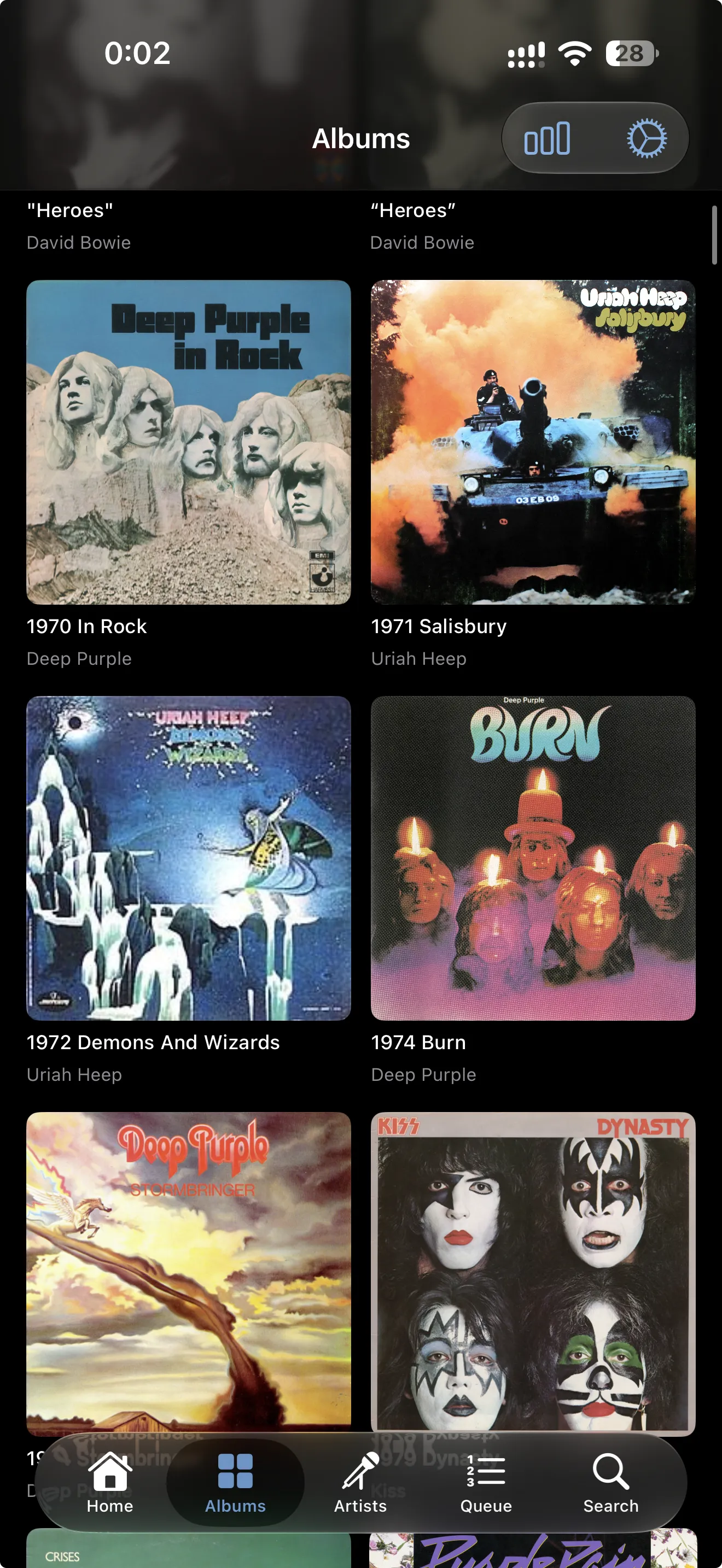
Album grid with records by Deep Purple, Uriah Heep and Kiss
Albums

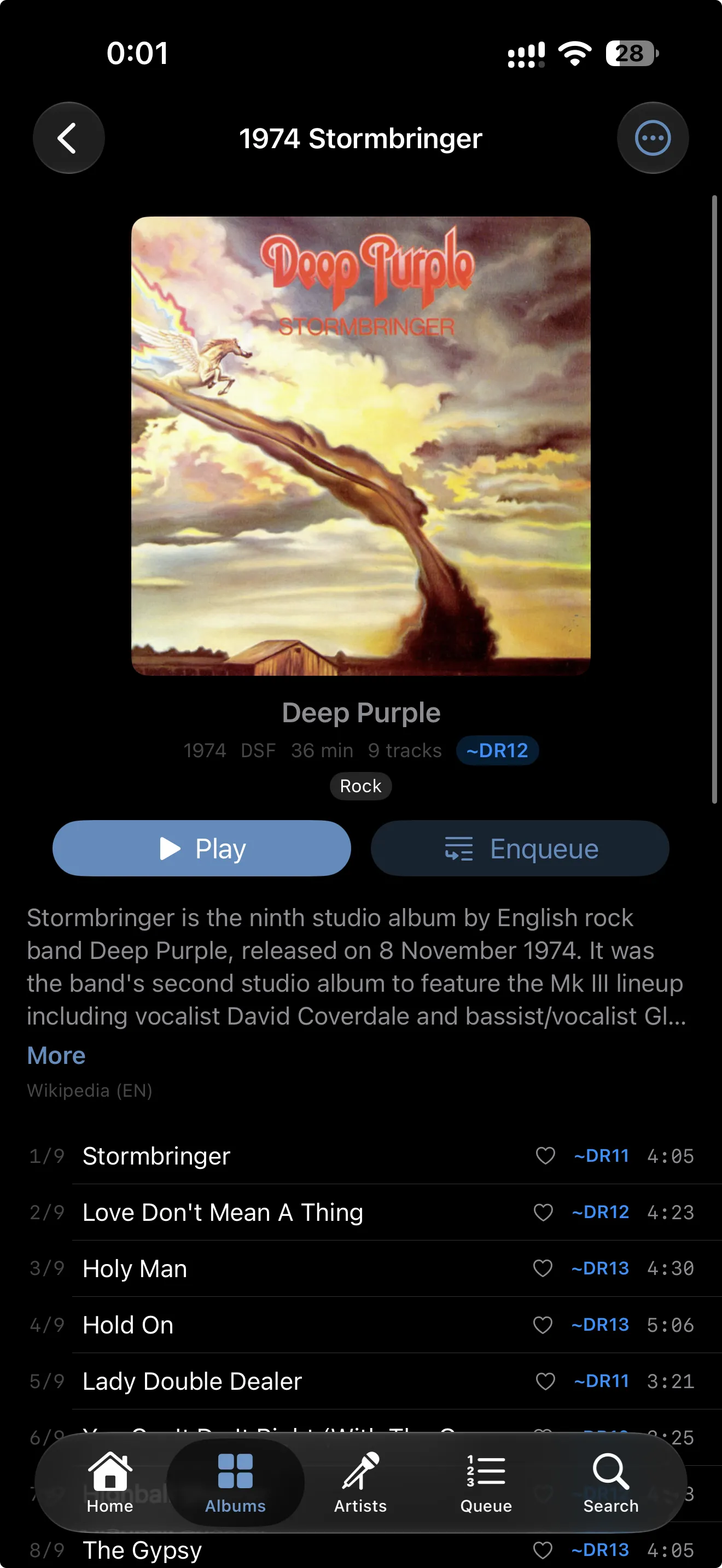
Every record, in detail.

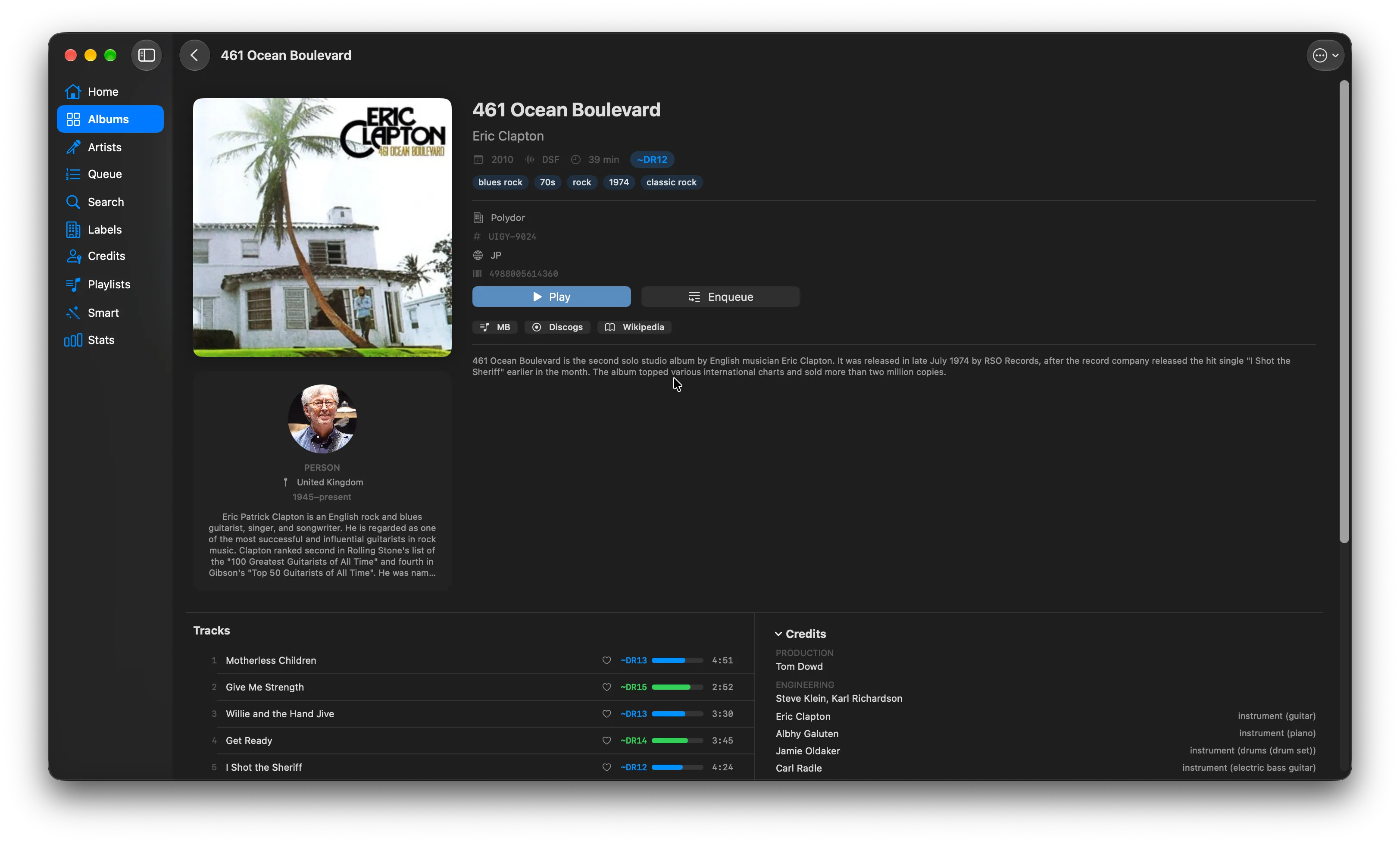
Format, length and dynamic range for every track and the whole album, and the story of the record from Wikipedia. Own more than one pressing? The other editions are listed right below, ready to compare.

02 09
Deep Purple, Stormbringer: DSF, 36 minutes, DR12, with the album story and DR for every track
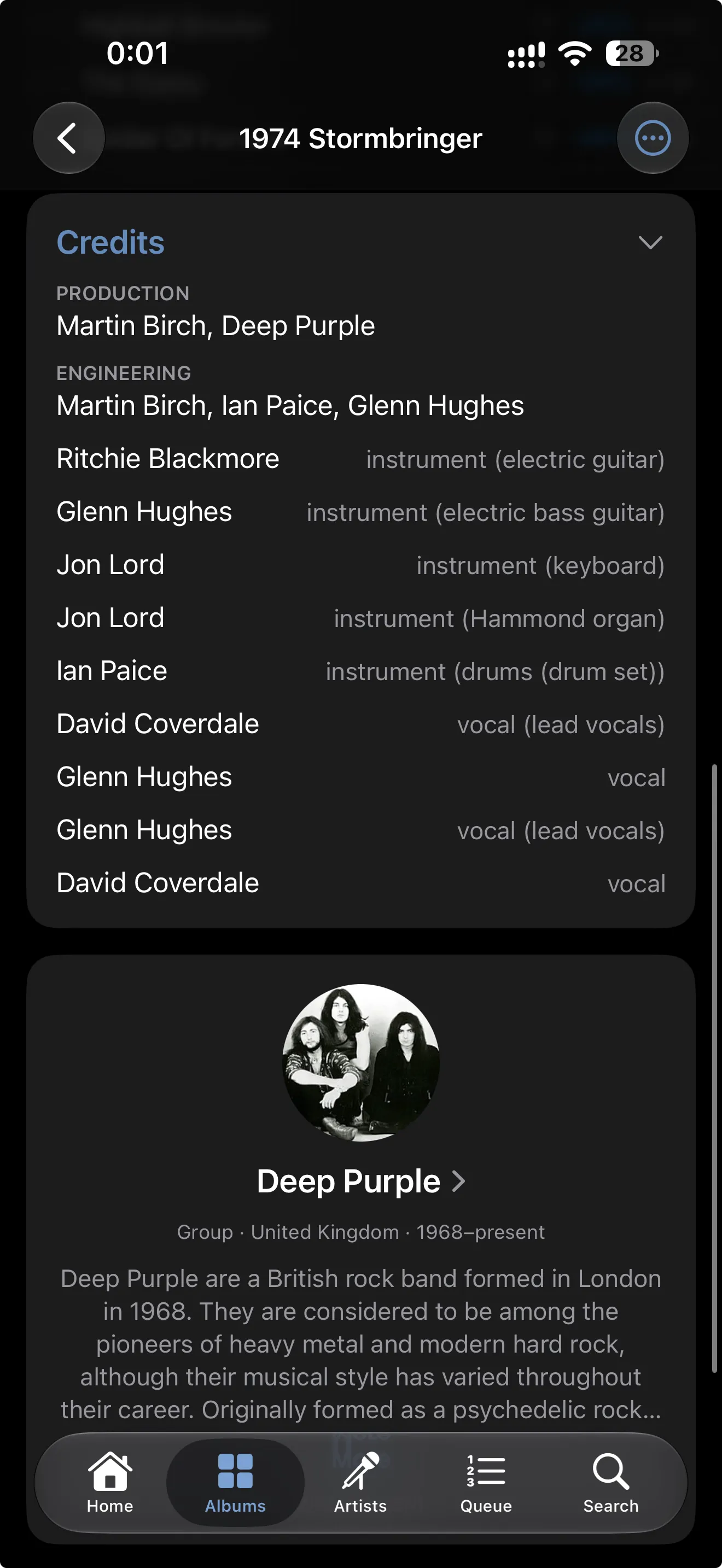
Credits

Who played, who produced.

Producers, engineers and every musician from MusicBrainz, and a card for the artist with photo and history that opens everything of theirs in your library.

03 09
Credits for Stormbringer and the Deep Purple artist card
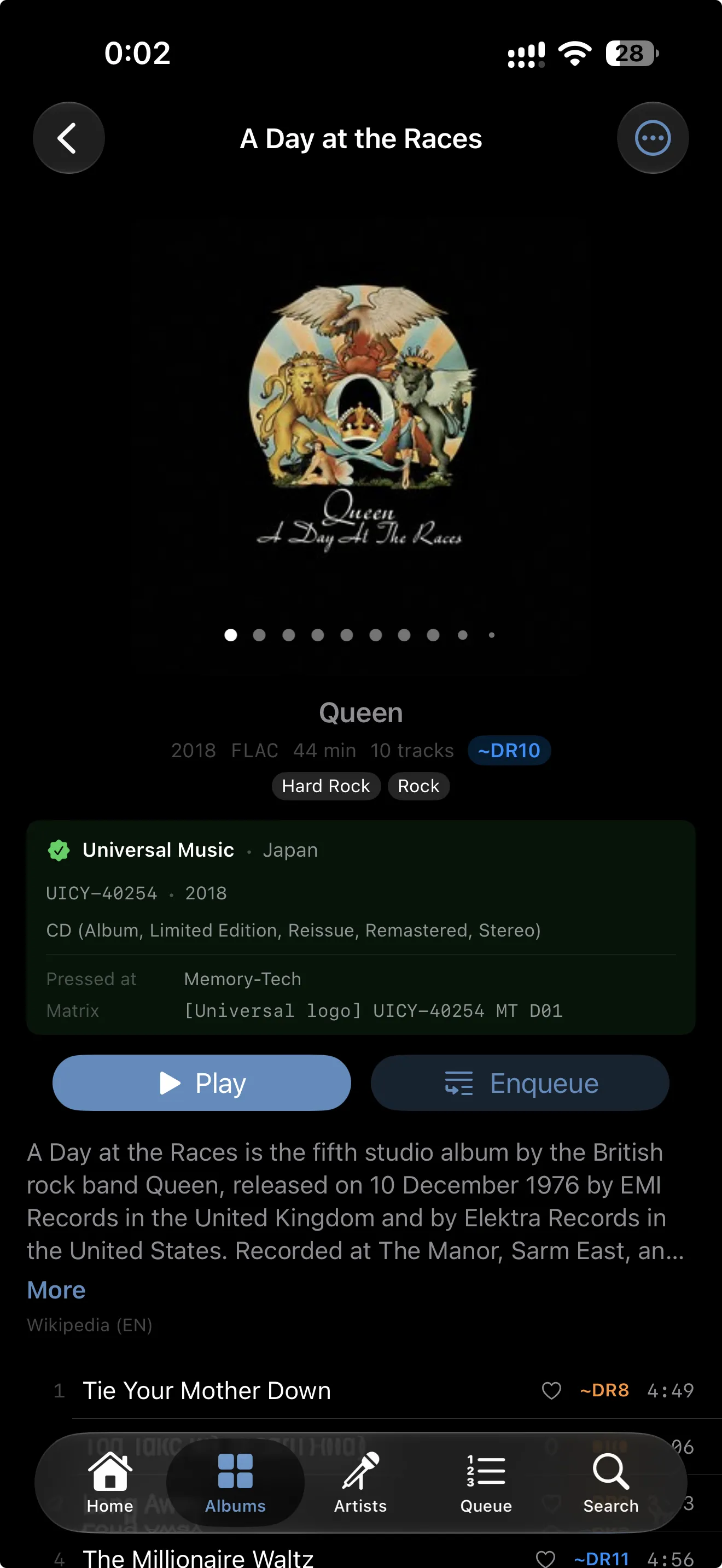
Pressing

The pressing, not just the album.

Which release is this, exactly? Label, catalog number, country, format and matrix, identified with Discogs and OBI Scanner and saved next to the album on your server.

04 09
Queen, A Day at the Races: identified as the 2018 Universal Music Japan pressing, with matrix details
Now playing

Know when it is bit-perfect.

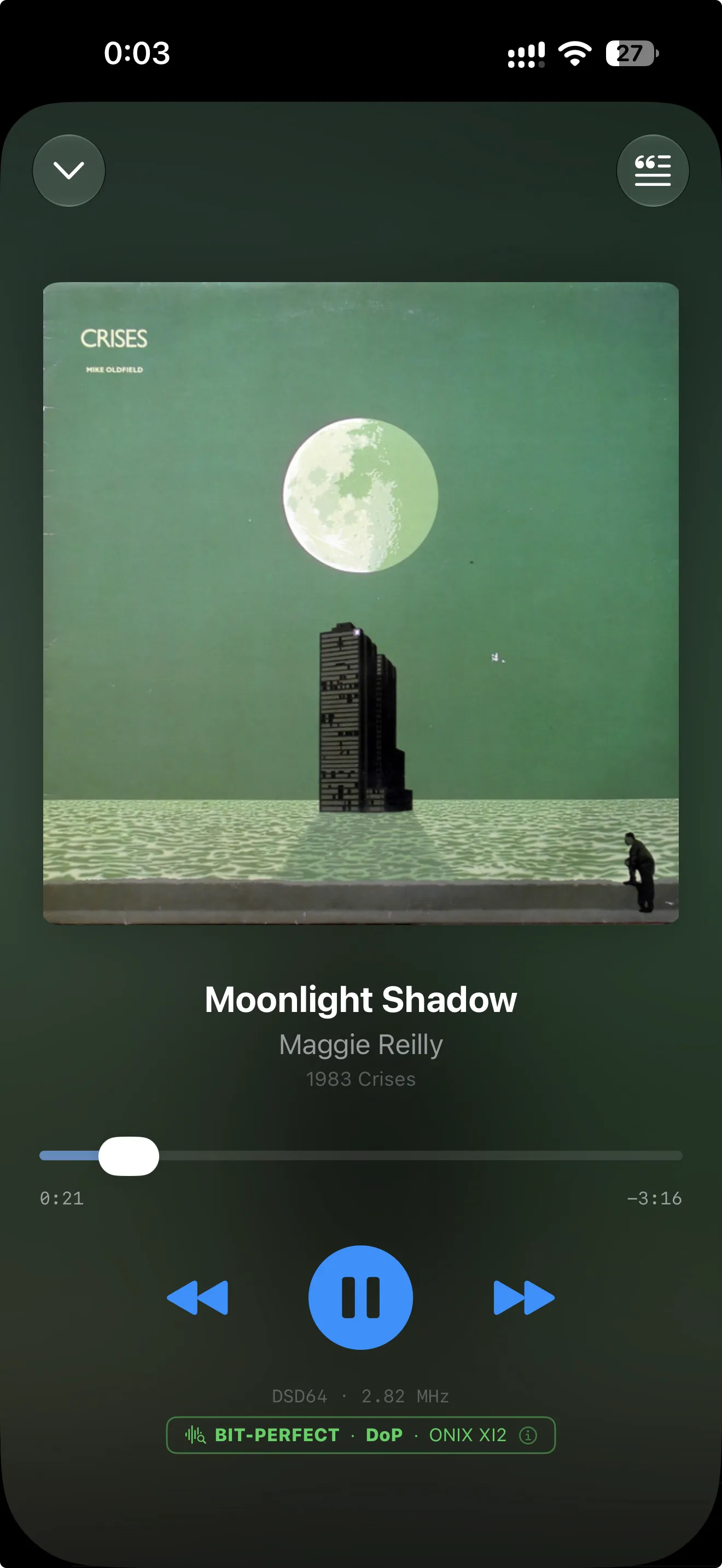
The badge tells you when the file reaches your DAC untouched: here DSD64, sent natively over DoP to a USB DAC. Radio mode keeps the music going when the queue runs out.

05 09
Now playing Moonlight Shadow in DSD64, with the bit-perfect DoP badge for an ONIX DAC
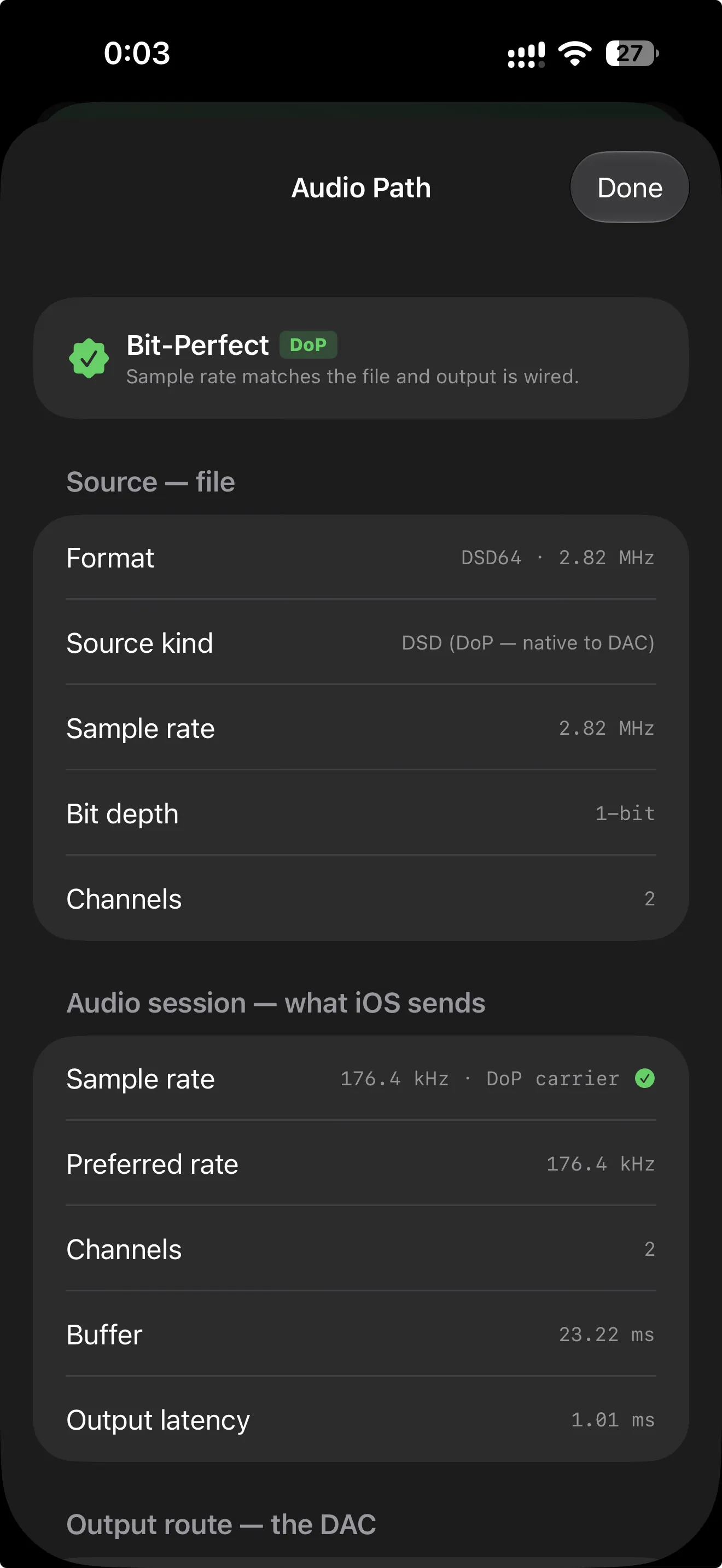
Audio path

Every step, on the record.

Tap the badge to see the whole path: the file, what the system is asked for and what the DAC receives. If Zplayer had to fall back to PCM, this is where it tells you why.

06 09
Audio Path: DSD64 source sent as DoP, 176.4 kHz carrier, to the DAC
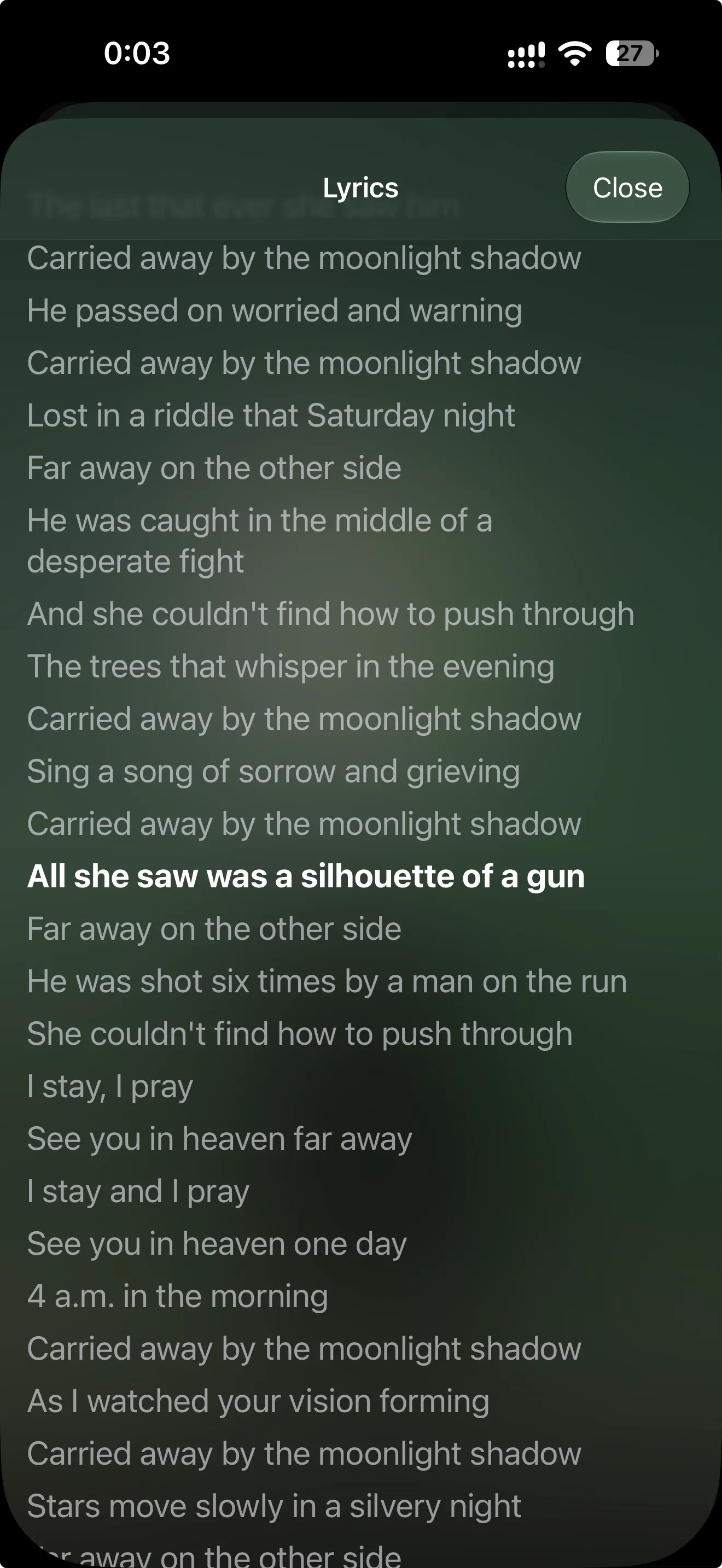
Lyrics

Lyrics that follow the song.

Synced lyrics from LRCLib that scroll with the music when they exist, plain text when they do not, over the colors of the cover.

07 09
Synced lyrics for Moonlight Shadow
Stats

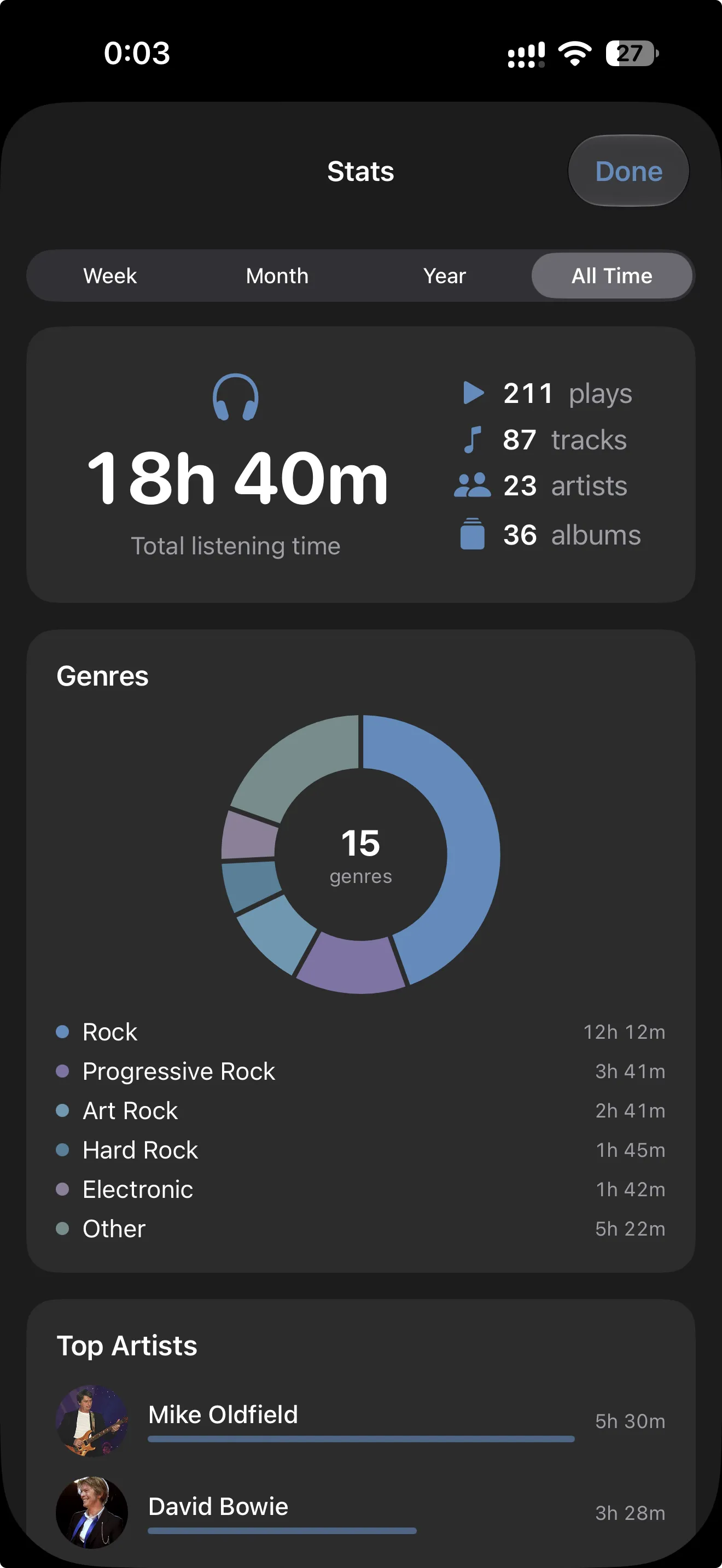
What you really listen to.

Listening time, genres, top artists, albums, labels and tracks, and when you listen by day and by hour. For the last week, month, year or all time.

08 09
Stats: 18 hours 40 minutes of listening, 211 plays, genres and top artists
Playlists

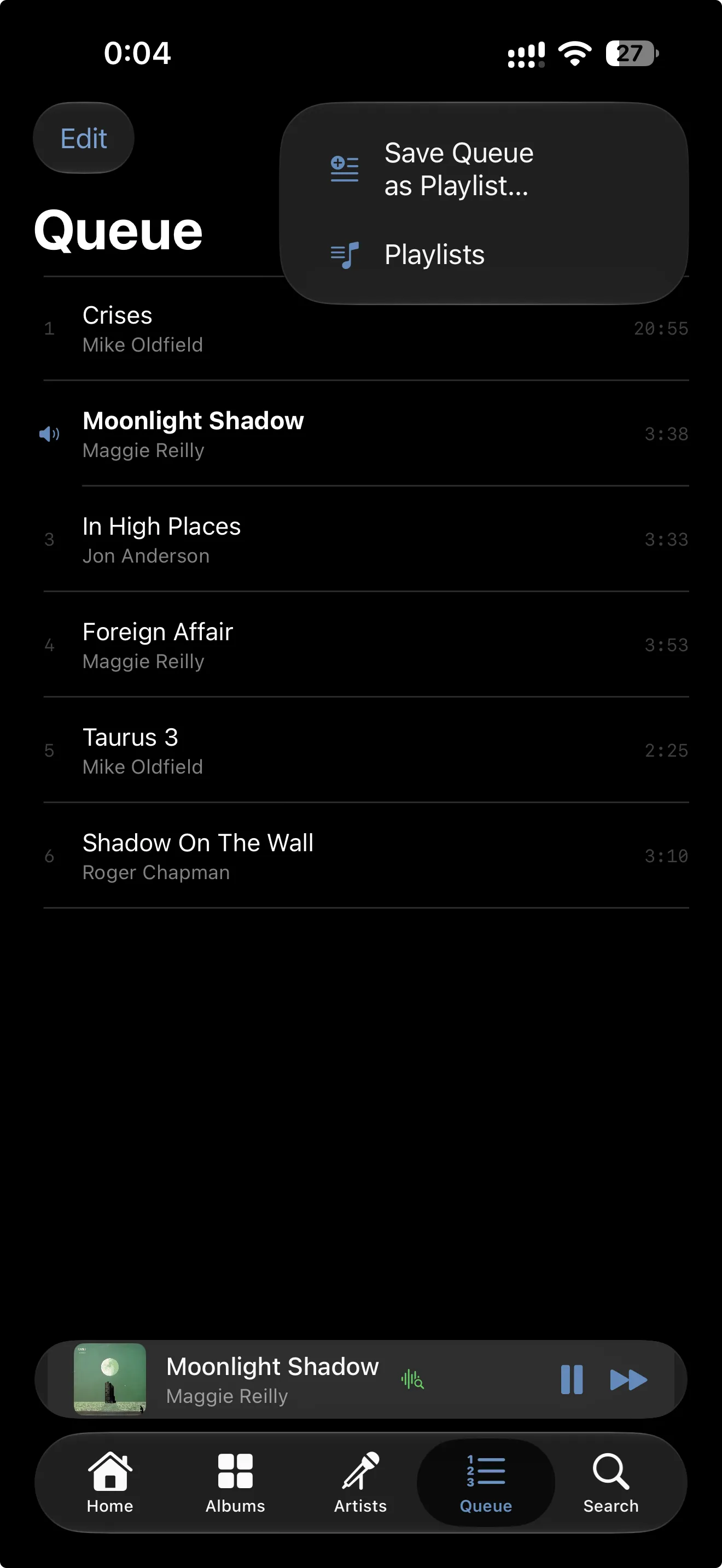
Keep the queue you love.

Save the queue as a playlist and play it again whenever you like. Playlists, favorites, play counts and the queue itself sync through iCloud, so you can pick up on the iPad where the iPhone left off.

09 09
The queue with Save Queue as Playlist and Playlists
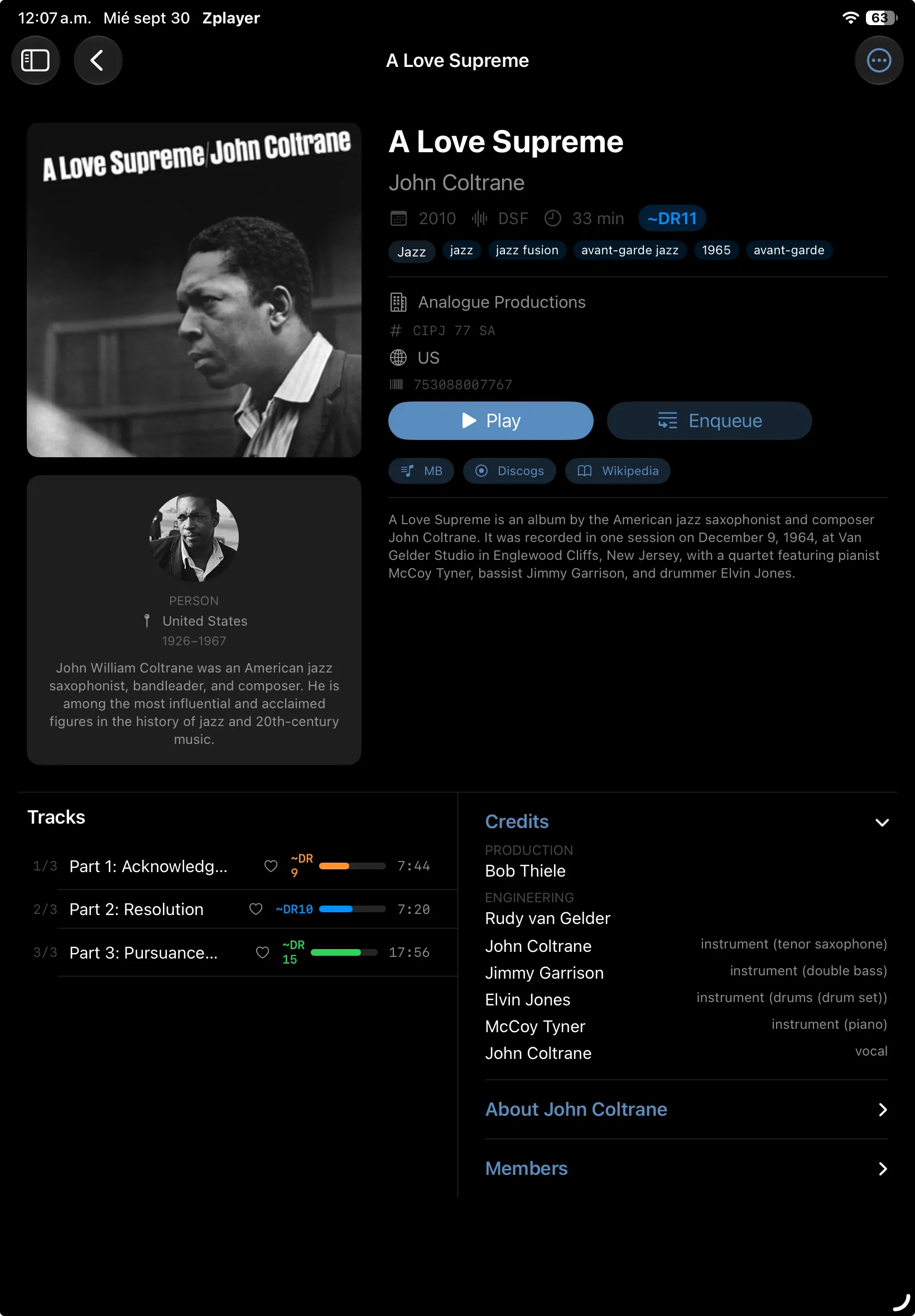
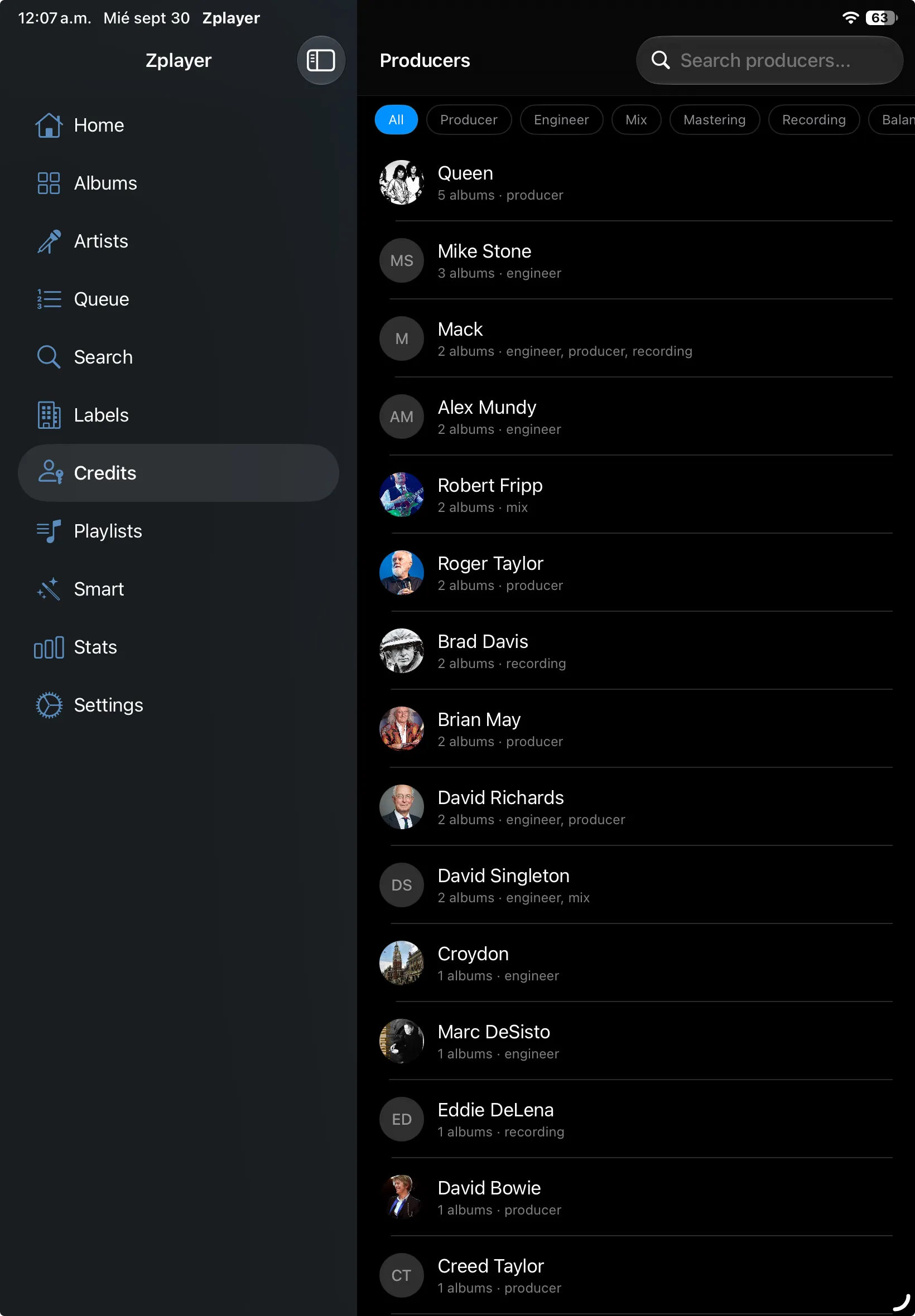
On iPad and Mac

Room to spread out.

On a bigger screen Zplayer becomes a full library browser, with a sidebar for albums, artists, labels, credits, playlists and stats. One purchase covers iPhone, iPad and Mac.

  • John Coltrane, A Love Supreme on iPad: the Analogue Productions pressing, DR for every track, credits and the artist

    Tracks and story, side by side

    The pressing, dynamic range for every track, credits and the artist, all on one screen.

  • Credits on iPad: producers and engineers across the library, such as Queen, Mike Stone and Robert Fripp

    Follow the people behind the sound

    Every producer, engineer and mastering engineer in your library, and the records they worked on.

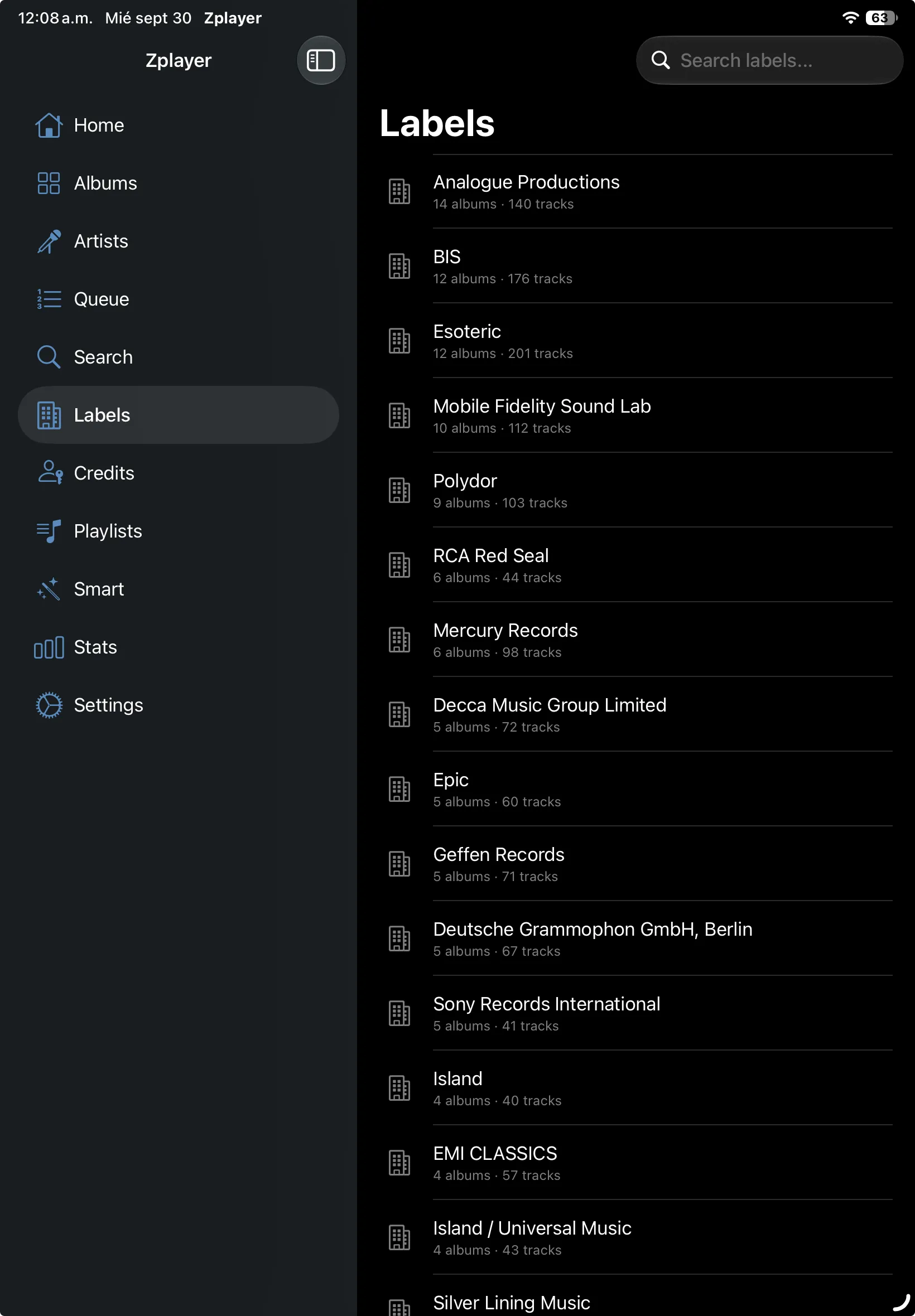
  • Labels on iPad: Analogue Productions, BIS, Esoteric, Mobile Fidelity Sound Lab and more

    Browse by the label that pressed it

    Analogue Productions, Esoteric, MFSL: your library by label, with the sidebar always at hand.

On the Mac

Your DAC, all to itself.

In exclusive mode Zplayer for Mac takes your DAC for itself: it bypasses the system mixer, switches the DAC to each track's sample rate and sends DSD natively over DoP.

Curious about a mastering? Send any album, or two editions of it, straight from your server to Dr. Doctor for a full analysis.

Zplayer for Mac: the album grid with the sidebar Eric Clapton, 461 Ocean Boulevard on Mac: the Japanese pressing, DR per track, credits and the artist
How it works

Your server keeps the files. Zplayer does the listening.

There is no cloud in between and nothing to sign up for. Zplayer reads your music straight from your own WebDAV server and plays it through your device, or through the DAC you plug into it.

  • 01 WEBDAV Anything that speaks WebDAV works: Synology, QNAP, Nextcloud, nginx or Apache, rclone. Point Zplayer at the folder that holds your FLAC and DSD files.
  • 02 INDEX The first scan reads the tags from each file with small range requests and keeps an index on your device. After that, browsing is instant, even offline.
  • 03 PLAYBACK Every file plays at its native sample rate. DSD goes to your DAC untouched as DoP when every condition holds; otherwise it is converted to high-resolution PCM, and Zplayer tells you why.
signal path DoP · ACTIVE
  1. DSF file DSD64 · 2.82 MHz · 1-bit
  2. DoP carrier 176.4 kHz · 24-bit · untouched
  3. USB DAC decodes native DSD
markers0x05 / 0xFA
system volume100% required
otherwisefalls back to PCM, says why

DoP carries DSD inside a PCM stream so the DAC can decode it natively. One changed bit and it turns into noise, so Zplayer only switches it on when the route, the volume and the sample rate are all right.

What's inside

Made for listening, not just for pressing play.

For people who know the difference between a 1985 CD and the 2011 remaster, and want their player to know it too.

  • Straight from your server

    Your music stays on your own WebDAV share. Zplayer reads tags with tiny range requests, keeps an index on your device and streams each track when you press play.

  • Bit-perfect, and it says so

    Files play at their native sample rate, with no resampling. A badge confirms when the path to your DAC is really bit-perfect, and on the Mac exclusive mode keeps the system mixer out of the way.

  • Native DSD over DoP

    DSF and DFF reach your DAC untouched, wrapped in a PCM carrier, on iPhone, iPad and Mac. When the conditions are not right, Zplayer converts to high-resolution PCM instead, and tells you why.

  • Dynamic range, measured

    DR14 for every track and album, measured over the whole file and every channel, the same way as the reference meters. Values still being refined carry a tilde.

  • Every edition you own

    The SACD transfer and the CD rip, side by side. Open either one, or send both to Dr. Doctor to see which mastering kept more dynamics. Identify pressings with Discogs and OBI Scanner.

  • Playlists, stats and radio

    Save the queue as a playlist, build smart playlists from rules, let radio mode keep the music going, and see what you listen to by week, month, year or all time.

  • Credits, stories, lyrics

    Credits from MusicBrainz, background from Wikipedia, synced lyrics from LRCLib and artwork from several sources, cached on your device.

  • In sync through iCloud

    Favorites, play counts, ratings, playlists and the queue follow you between iPhone, iPad and Mac, in your own private iCloud storage. Your server login travels in iCloud Keychain.

  • Private by design

    No account, no analytics, no ads. Zplayer talks to your own server and to public music databases, and nothing else.

Ready to listen

Get Zplayer.

One purchase for iPhone, iPad and Mac. No subscription, no account, no tracking.

Devices
iPhone · iPad · Mac
Requires
iOS 17+ · macOS 14+
Server
Any WebDAV share
Formats
FLAC · DSF · DFF

No server yet? Open Settings and tap Try Demo Mode to play sample albums built into the app. The support page explains how to connect your own.